Skip to main content
How to Find Network Settings on a Kiosk
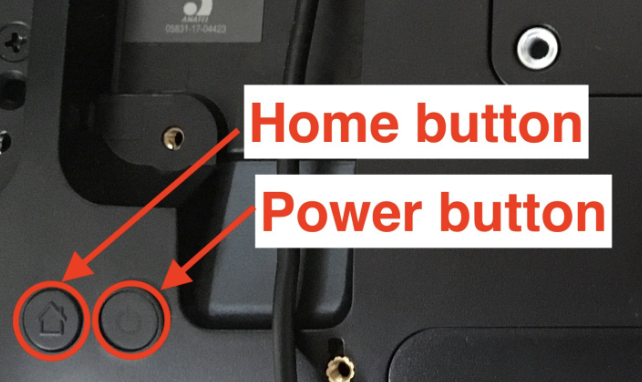
- Press the Home button and Power Button on the back of the Elo device to exit the kiosk app and to display the lock screen.
- On the lock screen, swipe up and enter the passcode. Contact support at (888) 827-5055 if you need this information.
- On the home screen tap on the three horizontal bars on the top right corner of the screen.
- Tap and hold the Wifi logo.

How to Return to Kiosk App after Exiting:
- On the home screen, tap on the three horizontal bars on the top right of the page which will take us to the Quick Settings page.
- Tap the X on the top right of the Quick Settings page.